If you think privacy threats are just about hackers in dark rooms, think again. Today’s risks are smarter, more personal, and often designed specifically to target older adults. In fact, Americans over 60 lose billions each year to fraud, with identity theft and scams evolving rapidly thanks to new technology. Many of these threats don’t look dangerous at first—they come as friendly phone calls, helpful emails, or even voices that sound like loved ones. The good news is that once you know what to look for, you can take simple steps to protect yourself and your finances.
1. AI Voice Cloning Scams Are Getting Harder to Spot
One of the fastest-growing senior privacy risks involves AI voice cloning. Scammers can now mimic a grandchild or family member, creating panic and urgency to send money immediately. These scams rely on emotional pressure, making them especially effective if you don’t pause to verify the call. The best defense is simple: hang up and call your loved one directly using a known number. Taking that extra step can instantly shut down even the most convincing scam.
2. Government Impersonation Calls Still Fool Millions
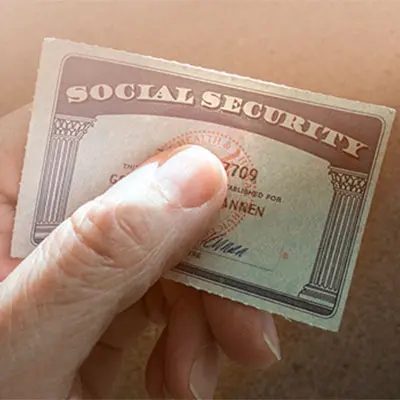
Scammers posing as Social Security, Medicare, or IRS officials continue to target seniors aggressively. They often threaten benefit cuts or legal trouble to push victims into sharing personal details or making payments. These scams feel real because criminals can spoof official phone numbers and use convincing scripts. Remember, legitimate agencies rarely contact you this way or demand urgent action. Always verify independently before responding.
3. Identity Theft Is Surging Among Older Adults
Identity theft has quietly become one of the biggest threats to senior privacy. Losses among older Americans have surged, with billions tied to stolen personal data and account access. Criminals use stolen information to open accounts, drain savings, or access retirement funds. Monitoring your accounts regularly can help catch suspicious activity early. Freezing your credit is another powerful step if you suspect a breach.
4. Tech Support Scams Are More Convincing Than Ever
Those pop-ups claiming your computer is infected are often scams designed to gain access to your device. Once scammers get remote access, they can steal passwords, banking info, and personal files. These attacks look legitimate, often mimicking trusted companies like Microsoft or Apple. Never call the number in a pop-up or give remote access to someone you don’t know. Instead, contact the company directly through its official website.
5. Smart Devices Are Quietly Collecting Your Data
From smart speakers to connected thermostats, many devices collect more information than people realize. These devices can track habits, conversations, and even daily routines if not properly secured. While convenient, they can become entry points for hackers if passwords are weak or updates are ignored. Always change default passwords and keep devices updated. Limiting what devices can access also reduces your risk.
6. Phishing Emails and Texts Are More Sophisticated
Phishing scams no longer look like obvious spam—they often mimic banks, delivery services, or even friends. A single click on a fake link can install malware or steal your login credentials. These messages often create urgency, pushing you to act quickly without thinking. The safest move is to avoid clicking links in unexpected messages. Instead, visit the company’s website directly to verify.
7. Romance and Social Media Scams Are on the Rise
Online relationships can feel real, but scammers often use them to build trust before asking for money. These schemes can last weeks or months, making them emotionally and financially devastating. Social media also exposes personal details that criminals can use to target you more effectively. Avoid sharing sensitive information publicly, even with people you trust online. If someone asks for money, that’s a major red flag.
8. Data Broker Leaks Are Exposing Personal Information
Many seniors don’t realize how much personal data is stored and sold by data brokers. When these databases are breached, your information can end up in the hands of criminals. This data can include addresses, phone numbers, and even financial details. Once exposed, it’s often used in identity theft or targeted scams. Using privacy tools and limiting online sharing can reduce your exposure.
9. Fake Banking Alerts Are Designed to Trick You
Messages about “suspicious activity” on your account are increasingly common—and often fake. These alerts are designed to make you panic and reveal sensitive information quickly. Scammers may direct you to fake websites that look identical to your bank’s login page. Always contact your bank using the number on your card, not the message. Taking a moment to verify can save you from major losses.
10. Malware and Ransomware Are Targeting Personal Devices
Malware can silently track your activity, capture passwords, or lock your files until you pay a ransom. These threats often come from downloads, email attachments, or unsafe websites. The danger is that you may not even know your device is compromised. Installing antivirus software and keeping systems updated can significantly reduce risk. Being cautious about what you click is your first line of defense.
Stay One Step Ahead of Privacy Threats
The reality is that senior privacy risks are evolving faster than ever, but awareness is your strongest protection. Most scams rely on urgency, fear, or trust to succeed, which means slowing down is one of the best defenses. Simple habits—like verifying contacts, using strong passwords, and monitoring accounts—can make a huge difference. You don’t need to be a tech expert to stay safe, just informed and cautious. By recognizing these threats early, you can protect your identity, your finances, and your peace of mind.
Which of these privacy threats worries you the most—and what steps are you already taking to stay protected
What to Read Next
Privacy Alert: 6 Phone Settings You Must Turn Off to Stop Strangers From Tracking You
Health-Record Access Change: New Privacy Rule Lets Companies Keep Your Medical Data for 15 Years — Even If You Opt Out
Retirement Accounts Facing Quiet Threats From New Banking Rules
Can Your Pacemaker Be Hacked? The Hidden Threat in Connected Medical Devices
These Are The 5 Worst Places To Mount Security Cameras Around Your Home

Amanda Blankenship is the Chief Editor for District Media. With a BA in journalism from Wingate University, she frequently writes for a handful of websites and loves to share her own personal finance story with others. When she isn’t typing away at her desk, she enjoys spending time with her daughter, son, husband, and dog. During her free time, you’re likely to find her with her nose in a book, hiking, or playing RPG video games.